Precise calories.
Zero effort.
Want to lose weight but lazy to log every meal? Pull to refresh on the dashboard to load food photos you already took — tap Analyze All once and get a rough calorie picturefor the day. It may not be lab-perfect, but it's a real starting point that builds awareness: tracking doesn't have to feel impossible. Then refine lines anytime — delete what you skipped, add items, or use AR and homemade flows when you're ready.
Free to start · No paywall · No credit card · Works offline
Lose weight without the spreadsheet mindset
ArCal is designed for people who want calorie awareness but won't manually type every snack. Your camera roll already has meal photos — the app can pull them into the timeline, then you run one batch "Analyze All" to turn those shots into approximate kcal and macros. That first pass is enough to see patterns and stay honest; perfection comes later when you edit lines or add detail.
Everything you need. Nothing you don't.
AR scan, scale-aware homemade logging, merge-to-recipe, fair reuse from local storage, plus ingredient editing and cultural accuracy — all in one app that respects your time, privacy, and wallet.
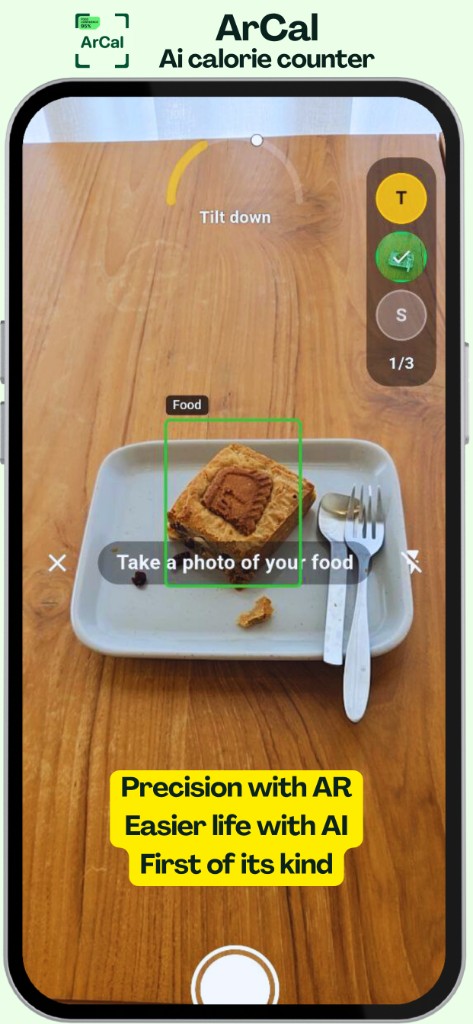
AR Scan — First of Its Kind
Use augmented reality to scan your meal. ArCal detects food on your plate, identifies every ingredient, and calculates accurate calories — all through your camera in real time.
Track Your Day with 1 Button
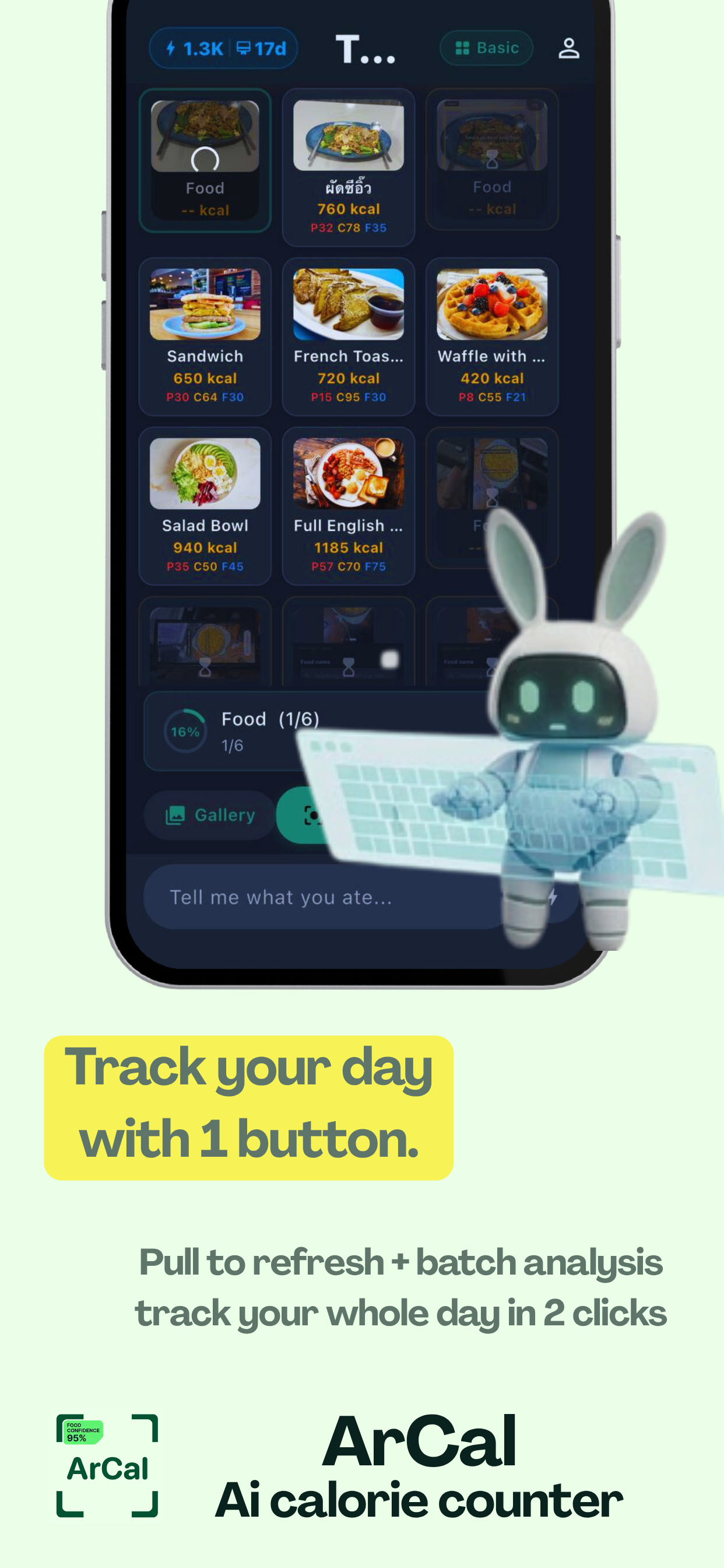
Pull to refresh on the dashboard to bring in meal photos you already took from your gallery, then hit Analyze All — one action to get a rough calorie read for the day. Ideal if you want to lose weight but refuse to log every bite by hand: you still get awareness and a starting number, then you can tighten accuracy later.
Zero Setup. Just Open and Go.
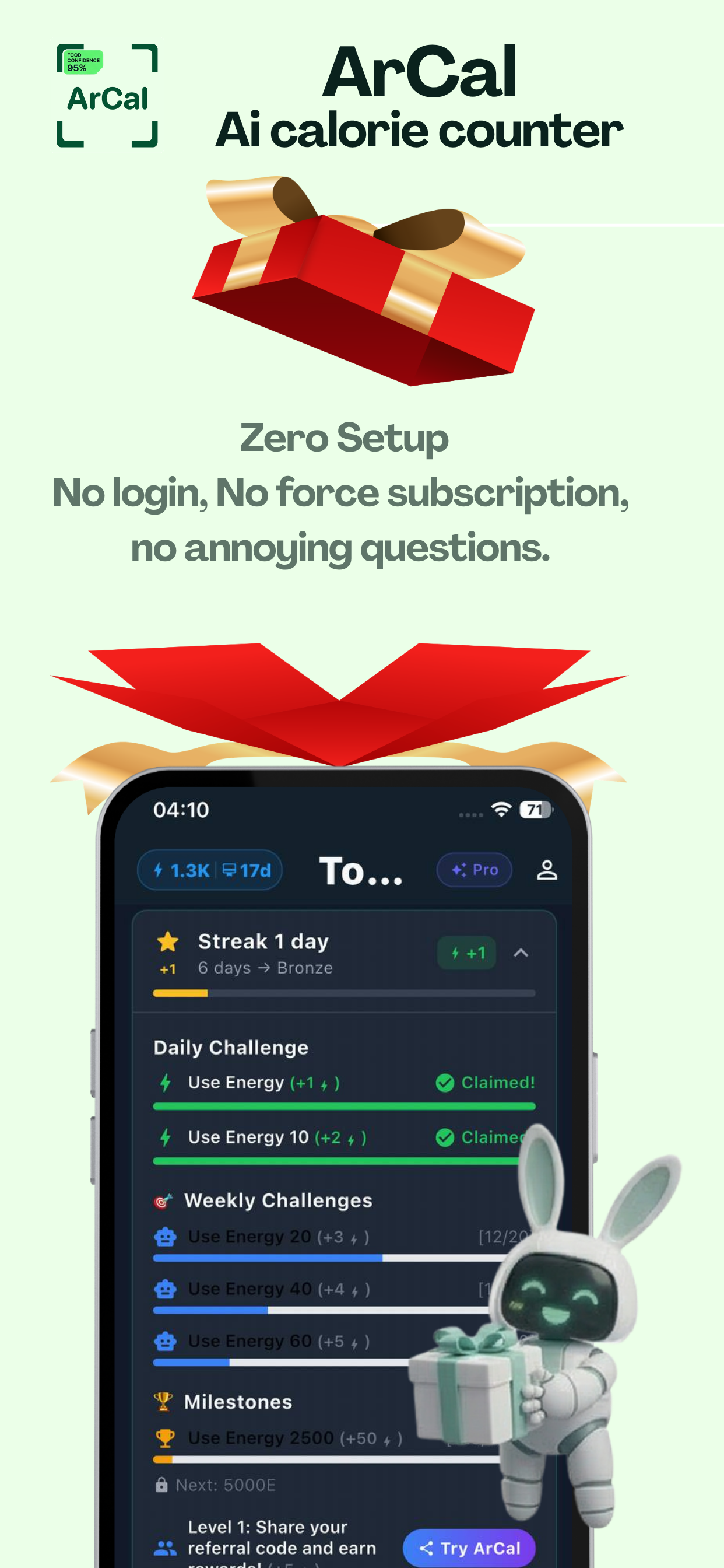
Download ArCal and start tracking immediately. No account creation, no onboarding quiz, no paywall. Free tokens are waiting — start your first scan in 10 seconds.
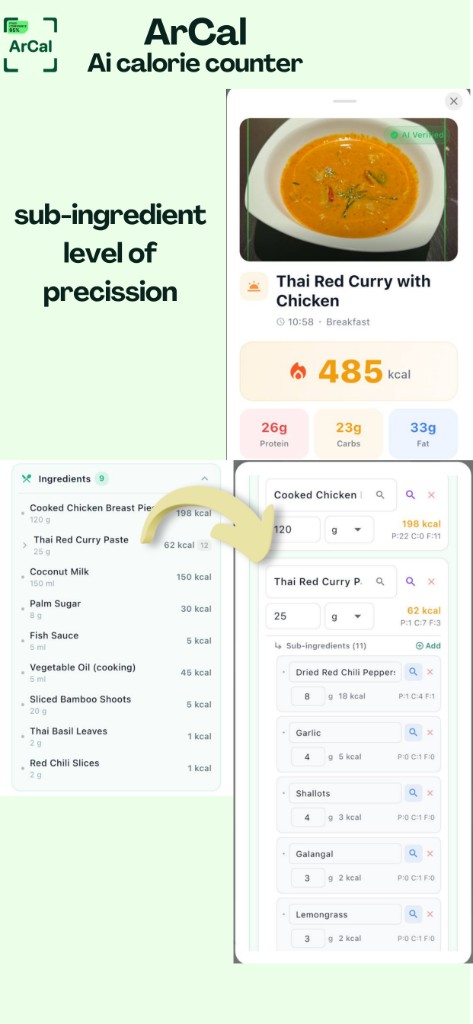
Sub-Ingredient Precision
Thai Red Curry? ArCal breaks it into: shrimp (70 kcal), curry paste (40 kcal), coconut milk (120 kcal). Don't eat something? Delete it. Add your own? AI helps.
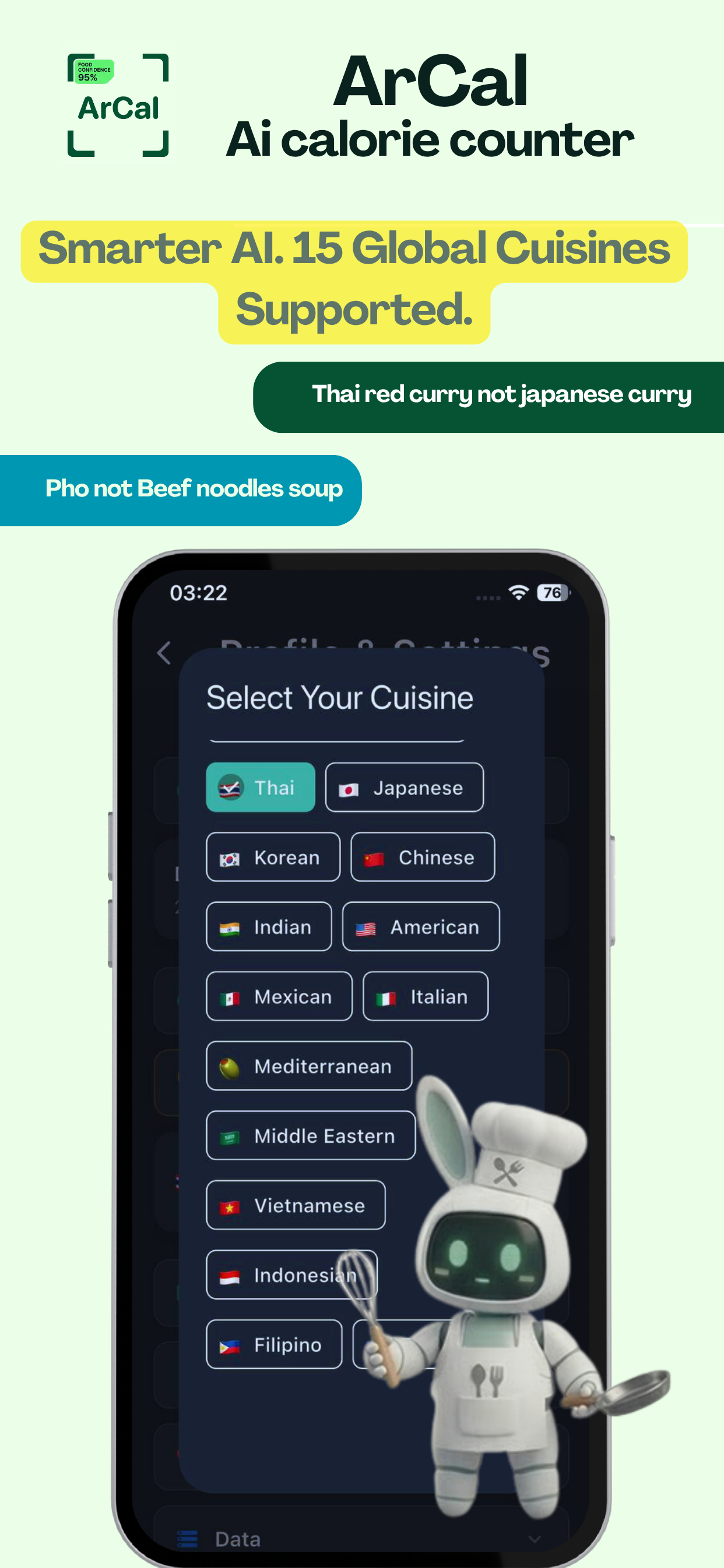
Smarter AI. 15 Cuisines.
ArCal understands food culture. Select your cuisine — the same dish gets identified with the right name, right recipe, and right calorie count for YOUR food.
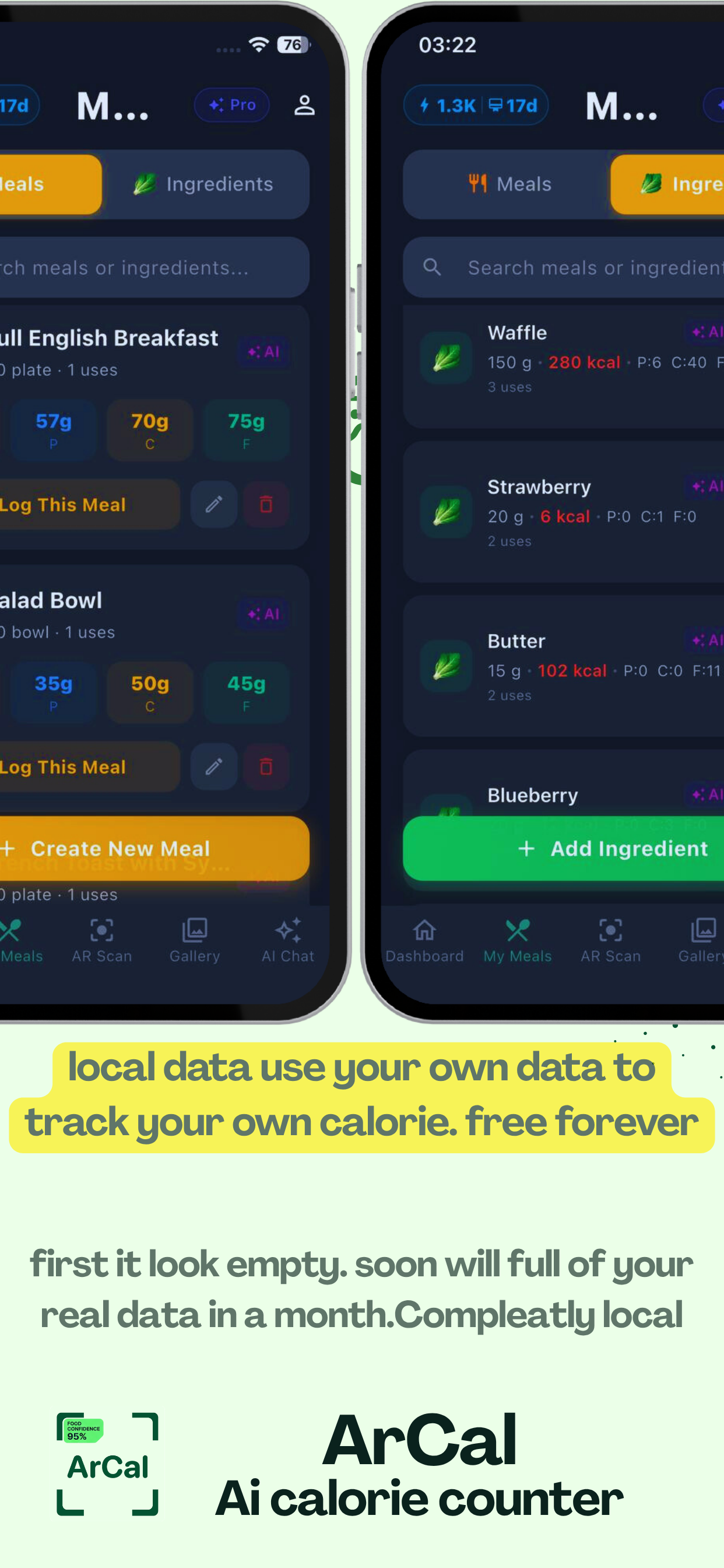
Your Data. Your Device. Forever.
All your nutrition data stays on your phone. No server uploads, no analytics tracking. Build your personal food database over time — it only gets smarter.
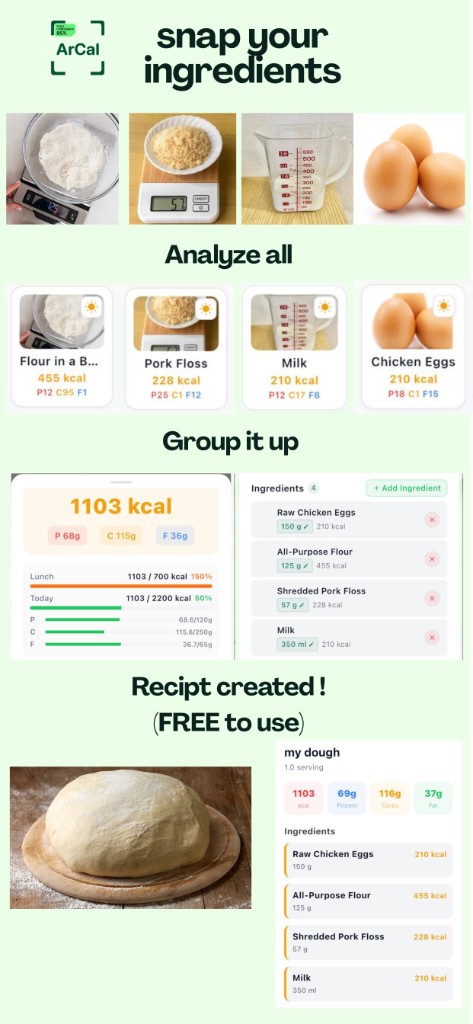
Homemade Meals — Photo Ingredients + Scale
Logging food you cooked yourself is easy: lay out ingredients next to your kitchen scale, measuring cup, or spoons and snap one photo. Tell ArCal exact amounts if you want — or let AI infer ingredients — while portions respect what the scale or measure shows in the image.
Fastest Private Recipe Builder
Combine multiple AI-analyzed ingredient lines into a single entry, name it, attach any photo from your gallery as the recipe cover, and save it to My Meals. One app, one local database — analyze, merge, and reuse without exporting to another tool.
Fair AI Calories — Reuse What You Already Found
Foods and ingredients you have already searched or analyzed stay on your phone. Log the same item again from autocomplete or My Meals without burning AI credits every time — because the knowledge lives in your local database, not a black-box cloud-only history.
Built different
Eleven capabilities — AI-built meals you can fix line by line, plus AR, local recipes, and fair reuse from your own database.
AR Food Scanner
Point your camera and scan meals in augmented reality — the first calorie counter to do this.
AI Photo Analysis
Snap any meal and watch AI break down every single ingredient with individual calorie counts.
Sub-Ingredient Precision
See the meat, the batter, and the absorbed oil — each with its own calorie count.
15 Global Cuisines
Select your cuisine. Thai curry stays Thai curry, pho stays pho — never misidentified.
Chat-Based Logging
Describe your entire day in one message — every meal logged with full breakdown.
100% Private & Local
No login. No cloud. All data stays on your device. Your nutrition diary belongs to you.
Homemade + Scale in One Photo
Photograph raw ingredients beside your scale or measuring gear — AI reads portions from the frame or uses the amounts you specify.
Merge → My Meal Recipe
Turn several analyzed lines into one private recipe with a gallery photo — log it again whenever you want.
Fair AI — Reuse Saved Foods
Previously searched items live locally; log them again without paying for the same lookup every time.
Edit, Delete, or Add After AI
Wrong line? Remove it. Skipped the rice? Delete that ingredient. Need another item? Add it and let AI fill macros — your diary stays accurate.
Tell AI What You Ate + Ingredient Search
Describe what is in your meal, pick from My Meals or ingredients DB, or let AI search nutrition data — built for people who want control, not a black box.
How it works
From open to first scan in under 10 seconds. Really.
Open & Scan
No login needed. Open ArCal, point your camera, and AR-scan your meal — or snap a photo, or just type what you ate.
AI Analyzes
In under 10 seconds, AI identifies every ingredient with individual calorie and macro counts. Powered by Google Gemini.
Fine-Tune & Track
Edit ingredients, adjust portions, remove what you skipped. Your personal food database grows smarter every day.
AI builds the meal — you keep control
Searching for a free-to-start AI calorie app where you can create menus and log food with AI, then edit the list, delete what you didn't eat, add lines, tell the app what's inside your dish, and use AI to look up ingredient nutrition? That workflow is core to ArCal — not an afterthought.
- Create entries with AI — photo, AR scan, gallery batch, or chat. Gemini proposes ingredients and calories; you approve or change them.
- Line-level edits — remove an ingredient, adjust portions, or add a missing item. Manual logging stays free; AI extras use Energy tokens you control.
- Ingredient intelligence — search and autocomplete from your My Meals and ingredient database; call AI when you need a full nutrition fill-in.
ค้นหาเป็นภาษาไทย: ArCal ช่วยสร้างเมนูและบันทึกมื้อด้วย AI เริ่มใช้งานได้ฟรี (มีโทเค็นฟรี) แก้ไข ลบ หรือเพิ่มวัตถุดิบ หลังวิเคราะห์ได้ ลบรายการที่ไม่ได้กิน บอกว่าในอาหารมีอะไร ให้ AI ช่วยค้นหาโภชนาการวัตถุดิบ — ข้อมูลสำคัญเก็บในเครื่อง (local) หน้าไทยฉบับเต็ม — ลดน้ำหนัก ขี้เกียจนับแคล / Pull to refresh → Analyze All
Why choose ArCal?
Features no other calorie counter offers.
| Feature | ArCal | Others |
|---|---|---|
| AR Meal Scanner | ||
| AI Ingredient Decomposition | ||
| Sub-Ingredient Breakdown | ||
| Homemade logging — ingredients + scale/measures in photo | ||
| Merge multiple items into one private recipe (My Meals) | ||
| Recipe photos from device gallery + unlimited re-log | ||
| Reuse past searches / meals without repeated AI charges | ||
| Delete ingredient lines you did not eat (per-item) | ||
| Add new lines + AI nutrition lookup for ingredients | ||
| Describe / correct what is in the meal; refine with AI | ||
| Free manual logging + free AI tokens to start | ||
| Cuisine Preference (15 cuisines) | ||
| Editable Ingredients Post-Analysis | ||
| No Login / No Account Required | ||
| 100% Offline & Local Data | ||
| Chat-Based Logging | ||
| Gallery Batch Scan | ||
| Purchases Never Expire |
Pay for what you use. Keep it forever.
One-time Energy packs never expire. Optional Energy Pass subscription for unlimited AI analysis (same as in the app). Manual logging stays free.
Energy packs (one-time)
Energy Pass (subscription)
Free tokens on first launch · 1 free AI analysis per day with streak · Manual logging always free
Start tracking in 10 seconds
No login. No credit card. No setup quiz. Download ArCal and get free tokens to try AI-powered calorie counting right now.